
MDD OneSource RFQ is a structured digital system for managing RFQs, technical documentation, clarifications, and approvals across complex sourcing environments.
It centralises procurement activity into a single workflow, ensures every decision is traceable, and produces an audit-ready record from first enquiry to quote issue. Clixar Security Seals is the first fully integrated product line, but the platform is designed for structured, multi-category procurement across engineering, consumables, construction materials, and operational supplies.
A structured procurement workflow designed for cross-border sourcing, RFQ handling and full traceability from first enquiry to final documentation.
Manage RFQs across product families and global regions in one central system, rather than scattered emails and spreadsheets.
Every update, clarification, quote revision and approval is automatically logged to support governance, internal controls and external audits.
Structured submissions and RFQ tracking help teams cut RFQ turnaround time by reducing back-and-forth, misplaced files and unclear approvals.
An end-to-end workflow that takes RFQs from initial scope definition to quote issue and documentation, with a consistent, auditable trail at every step.
Create a new RFQ from your dashboard or via a product link.
Upload specifications or enter detailed item requirements and timelines.
Send your structured RFQ into the OneSource procurement workflow.
OneSource reviews your request, documents, and sourcing requirements.
Review pricing, availability, and sourcing guidance in a structured format.
Handle questions, updates and RFQ revisions with a full conversation trail.
Route decisions to the right approvers and document the next procurement step.
Generate PO references and archive all RFQ records for future audits.
Early live usage already demonstrates measurable improvements in sourcing speed, documentation integrity, and cross-border coordination compared to manual email-based workflows.
Early Results
Initial beta usage shows faster RFQ coordination and improved visibility compared to manual email and WhatsApp workflows.
RFQ actions audit-logged
Every change recorded in an event trail to support governance and compliance.
Regions in pilot operations
Remote procurement workflows across Nigeria, the UK, South Africa and Eastern Europe.
Documentation loss in test runs
All RFQ records retained via the platform’s centralised documentation store.
A preview of the OneSource RFQ interface showing key areas of the platform.
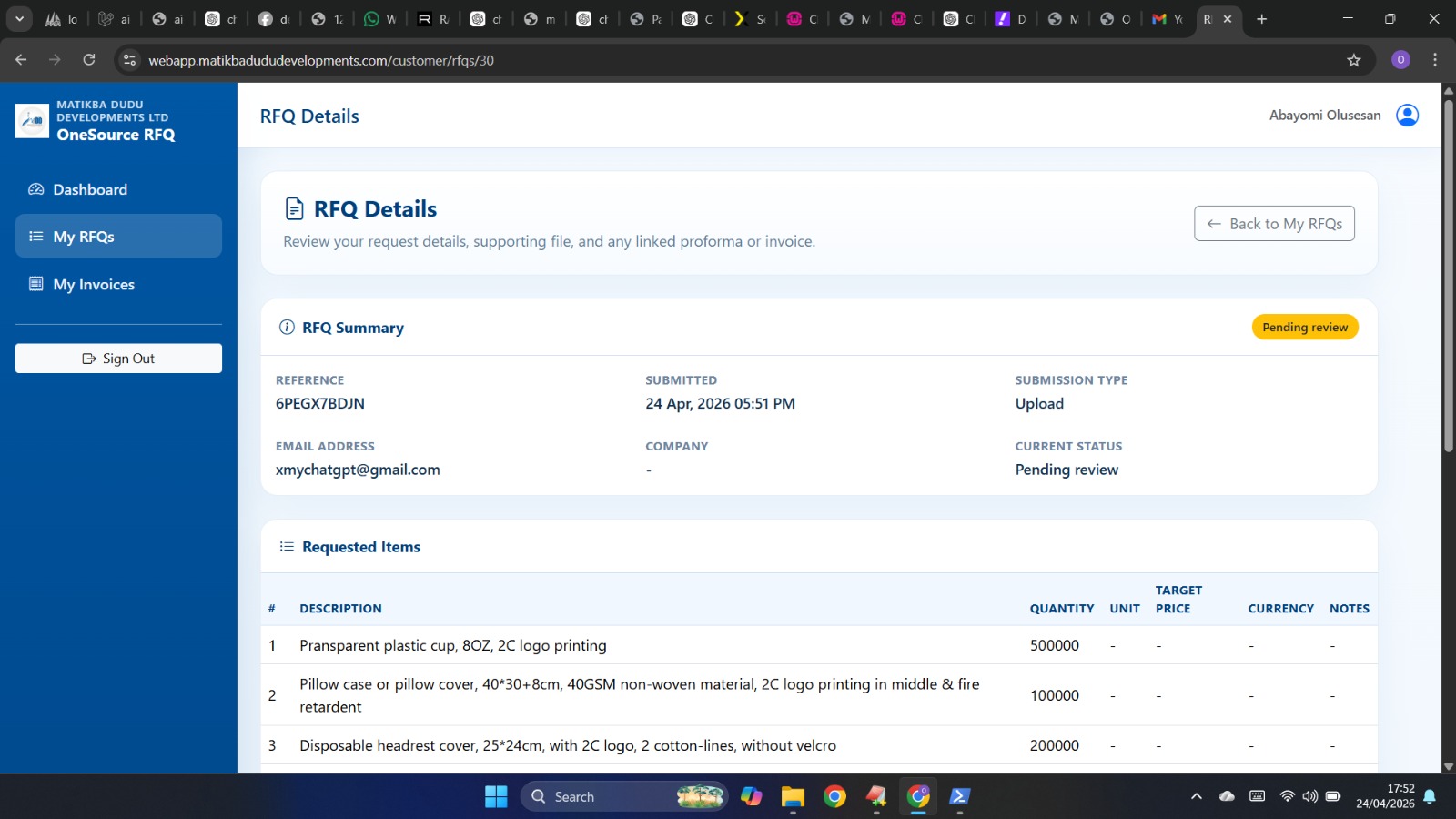
A single view of open RFQs, status updates and workflow activities.
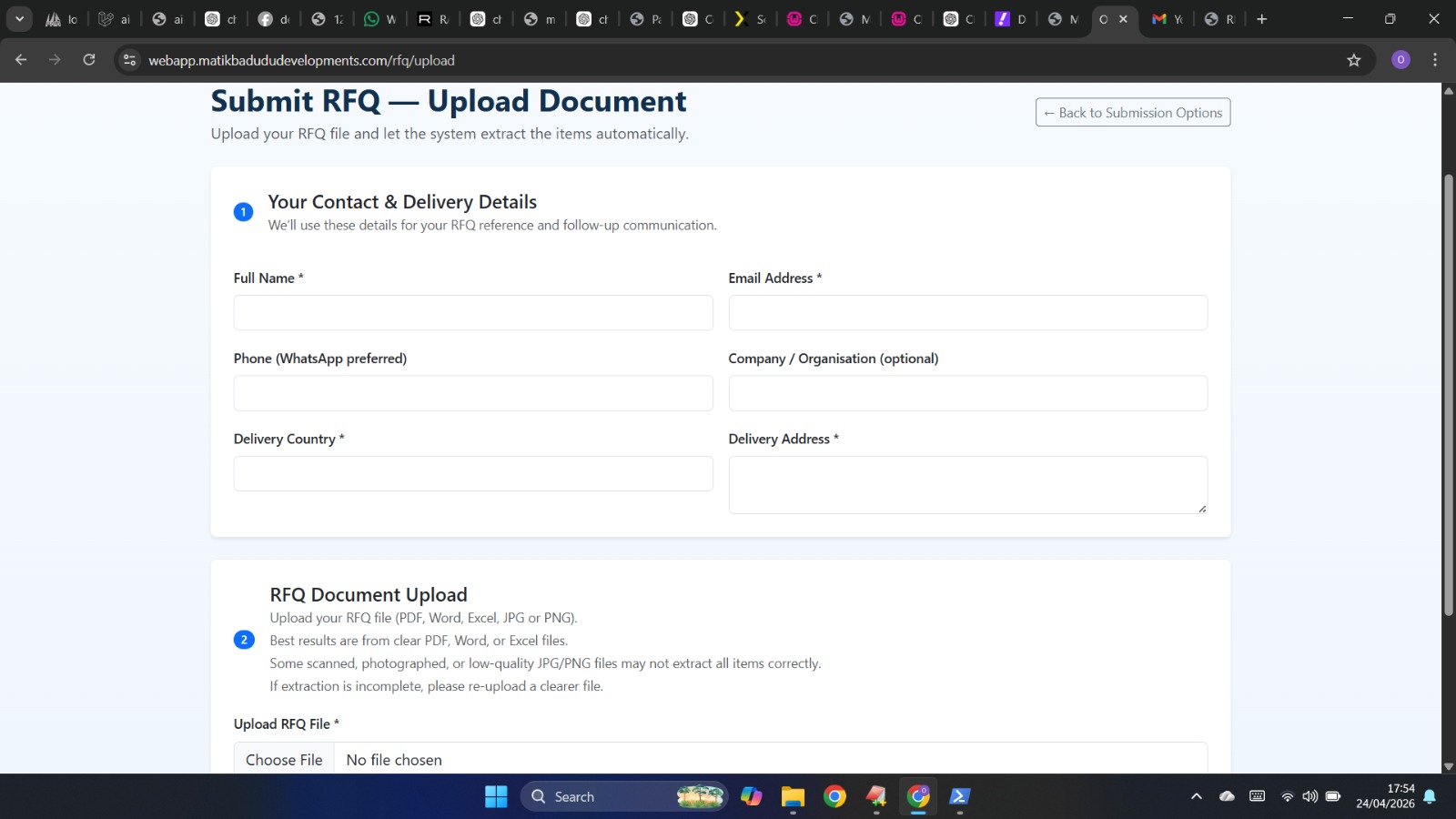
Structured entry for specifications, documents, item lists and key dates.
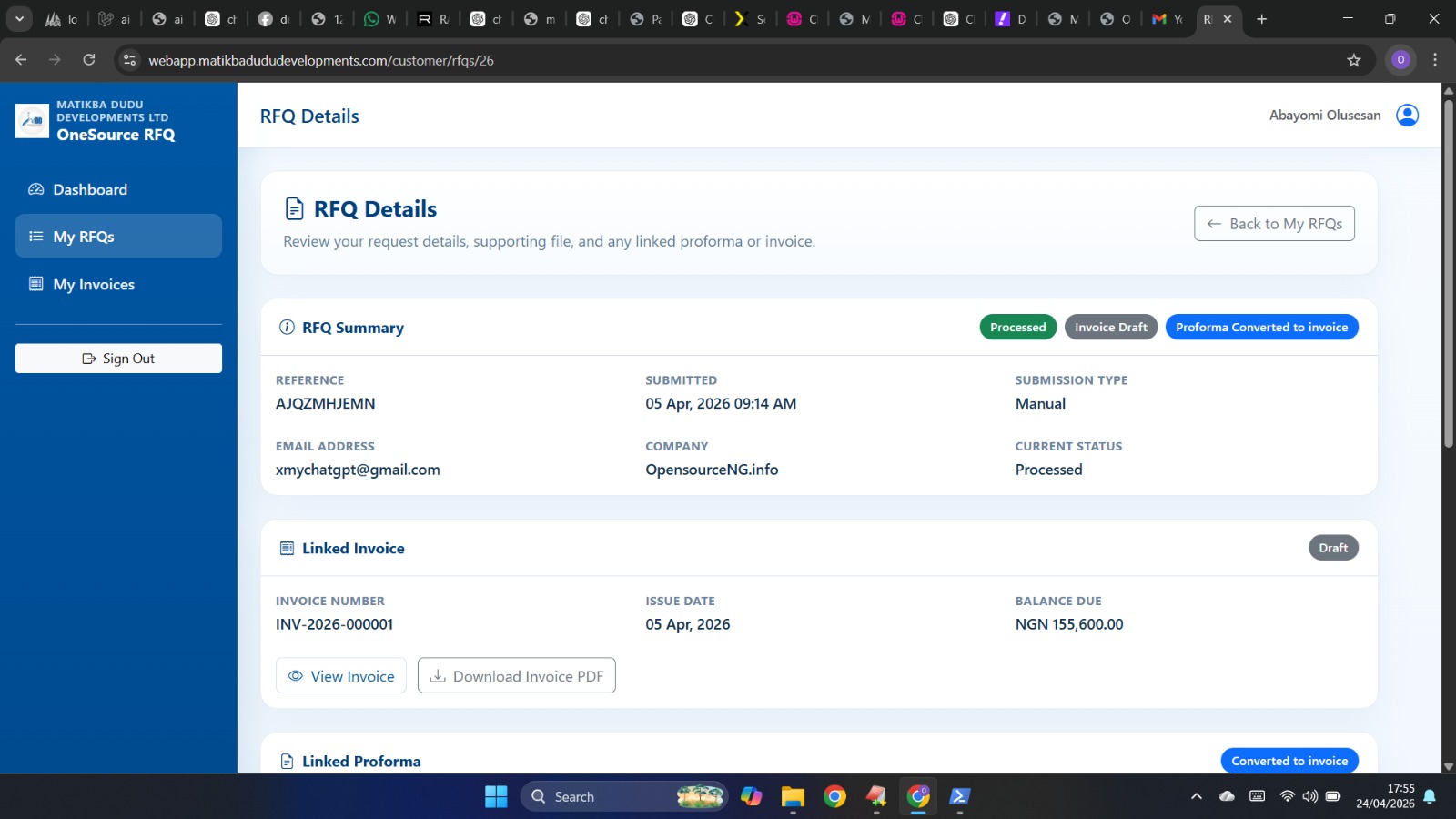
Comprehensive view of request specifications, attached documents, item lists and submission requirements.
Whether you are sourcing Clixar Security Seals or managing broader procurement requests, OneSource RFQ ensures every request, quote, document, and approval is structured, traceable, and audit-ready.